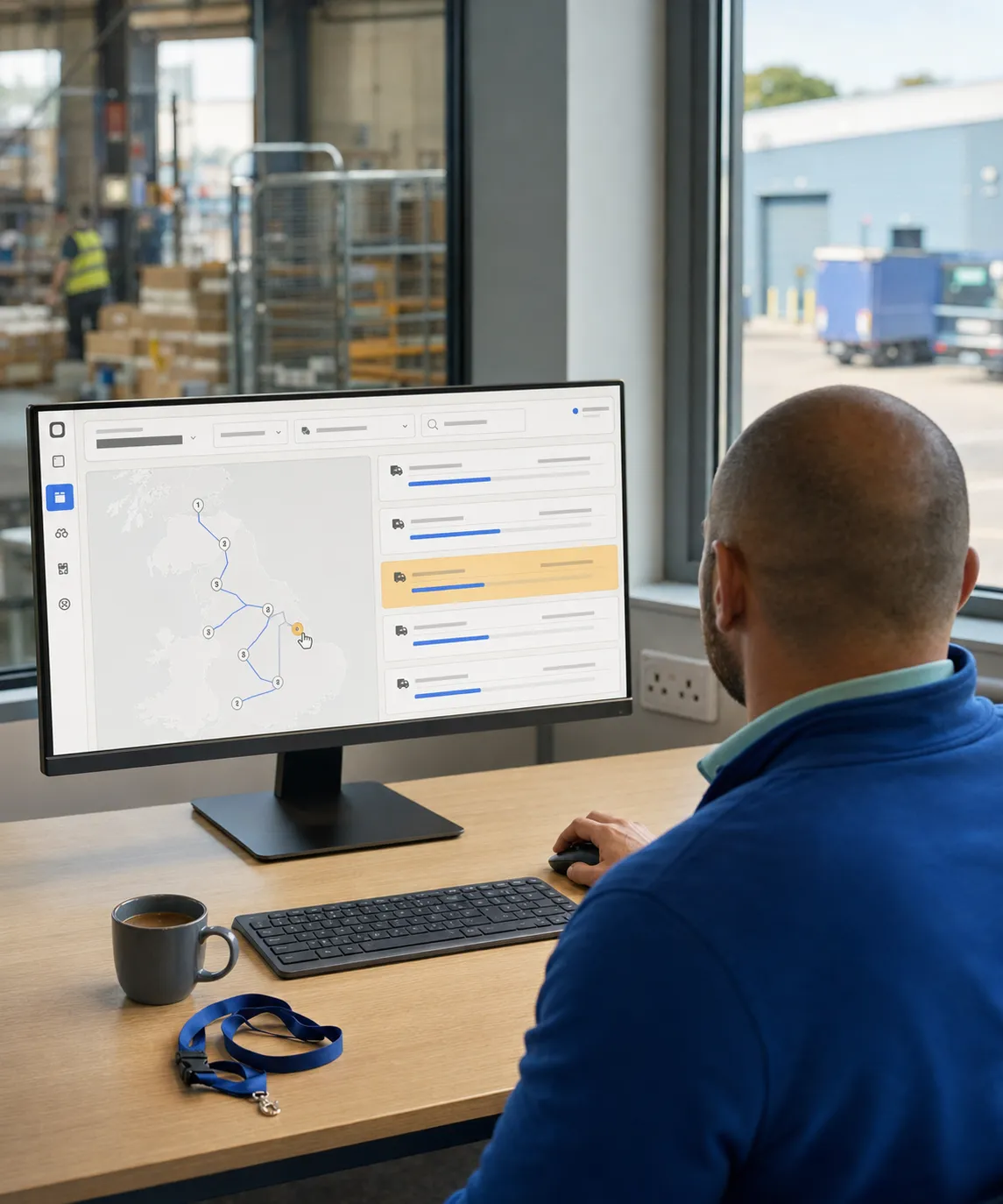
Run sales, warehouse and deliveryon one distribution platform.
RouteMagic connects order capture, credit control, purchasing, warehouse execution, delivery and accounting on a single data model, so there is no paperwork, no double entry and no broken handoffs between the office, the warehouse and the van.
Capabilities that change the way your distribution operation runs.
Six things this platform does that a stack of separate tools cannot.
AI Demand Forecasting & Replenishment
A neural time-series model forecasts 30 days of demand per product, customer and route with upper and lower planning bands, then turns the forecast into min/max recommendations and purchase orders your buyer approves.
Route Planning & Live Optimisation
Plan rounds around delivery windows, vehicle capacity, skills and driver hours, then re-optimise as the day changes, including mid-day top-ups and last-minute order injection.
Van Sales & Offline ePOD
Drivers sell from van stock, invoice and take payment at the stop, and capture signature, photos and an auto-emailed proof of delivery, all of it working with no signal.
Barcode Warehouse Execution
Scan goods-in, picks, packs and loads with batch and expiry captured at every touch, so a recall resolves to a customer list in minutes and variances surface before the van leaves the gate.
Automated End-of-Day Reconciliation
Loaded versus sold versus returned stock, cash by denomination, returns and empties reconcile themselves at route close. Supervisors review the variances, not the paperwork.
One Platform, Six Operational Apps
Back office, warehouse, driver/field, customer portal, D2C consumer app and retail POS run on one data model, so stock, price and balance mean the same thing everywhere.
Product surfaces
Six apps, one data model.
Every role gets the surface built for the job, and all six read and write the same orders, stock, prices and balances.
The catalogue follows the shape of a distribution day: plan and route, sell and capture orders, validate and price, buy and replenish, pick and load, deliver and collect, reconcile, engage customers, retail counter, analyse and integrate.
Plan & Route
Route Planner
Allocate up to seven days of orders to delivery rounds in one board, with wholesale drops and van sales planned together on the same map. The plan the warehouse picks to is the plan the driver runs.
A vehicle-routing engine sequences every stop to cut travel time, distance and fuel while honouring delivery windows, capacity, vehicle skills, max stops and driver hours. Planners keep drag-and-drop override and what-if comparison.
One operations board pairs live map tracking with per-stop detail across every active round: planned versus actual ETAs, completed and skipped stops, and cash collected so far. Problems surface while the day can still be fixed.
Define when and how often each customer is served, and have those days flow automatically into the Route Planner so nobody rebuilds the weekly pattern by hand every Monday.
Set van-sales and site-visit schedules at round level and categorise rounds by type, so the right mobile workflow and the right planning rules apply without per-driver instruction.
Map-drawn territories auto-assign customers to rounds and reps as the customer base changes, while regions group warehouses to drive regional, ship-from pricing.
Hold vehicle records, capacities and safety questionnaires, grouped by type so the planner respects each vehicle’s default volume and weight limits instead of overloading the round.
Tag capabilities such as chilled, ADR, tail-lift or weight limit and constrain which vehicle may serve a customer or carry a product, so an unsuitable van is never planned onto the stop.
Schedule and track servicing, with service orders raised automatically when a vehicle falls due, so a missed inspection does not take a round out on the morning it was needed.
Draw boundaries around delivery points to auto-confirm arrival without a driver tap, and raise alerts on breaches such as idling, speeding or an unplanned detour.
Set sales goals per round over a period, independent of which driver runs it, and track performance against them so a weak territory is visible separately from a weak driver.
Telesales, customer portal, mobile app, EDI feeds, WhatsApp and email intake, standing schedules and D2C all land in one sale-order queue, tagged by source. One validation and one fulfilment flow downstream, whichever way the order arrived.
The order record every downstream step reads from: capture, confirm and track a customer order through picking, loading, delivery and invoice without re-keying it into a second system.
Work a call cycle with customer context, live balance, last orders and usual SKUs on one screen, so an agent takes a complete order on the first call instead of ringing back to correct it.
Inbound EDI feeds from your larger trade accounts drop straight into the same order pipeline as telesales, portal and app orders, with the same credit, pricing and stock validation. No mailbox monitoring, no manual re-entry.
Capture an order now for a delivery date later, alongside standing and ad-hoc orders, so planned demand enters the fulfilment pipeline on the right day and shows up in the forecast rather than in someone’s diary.
Generate recurring orders automatically on each customer’s daily, weekly or monthly cadence from a per-customer template, with suspend and resume, so regular business is never missed on a busy morning.
Trade customers place their own orders against their own pricelist in a branded portal, flagged for review before they join the delivery plan. Order-taking capacity stops being the constraint on growth.
Customers receive order updates and invoices on WhatsApp and reply in the same thread, with conversations feeding the back-office order queue. No separate app for the customer to install.
Reps run their journey plan, show the catalogue, take a pre-sold order against live stock and price, and record the visit outcome at the door, so the order reaches the warehouse before the rep reaches the car.
Sell from van stock at the stop with on-the-spot invoicing and payment, depleting van inventory in real time. The cash, the stock movement and the invoice all post from one action.
Handle line-level amendments before pick or load, substitution rules, partial fulfilment, backorders, hold-and-release and cancel-with-reason: the everyday exceptions, without manual ledger workarounds afterwards.
Show a live catalogue with variants, images and the customer’s own prices on a phone or tablet during the call or the visit, so the conversation is about the range rather than about what is in stock.
Track leads through the conversion pipeline from the back office or the app, and open the account in the field with duplicate checks, tax validation, geocoding and a first-order credit hold applied automatically.
Show what is genuinely available per SKU while the order is being taken, across warehouses and allocations. Reps and agents promise accurately instead of creating a short the warehouse discovers at pick time.
Check credit class, limit, live balance and past-due ageing before the order commits, blocking over-limit and cash-only breaches. Manager override needs an OTP and a reason, and both are audited.
Price by customer, customer group or region with absolute prices, percentage discounts or markups, effective-date versions and margin-floor enforcement, so the right price applies without a rep negotiating it twice.
Apply buy-X-get-Y, bundle, combo and time-bound promotions automatically at capture, with gift cards and prepaid coupon booklets at the point of payment, and report effectiveness per SKU and channel afterwards.
Sell in eaches and cases at the same time with a conversion factor, and capture actual weight per unit for variable-weight goods such as meat, fish, cheese and produce, with weight-based pricing on the invoice line.
Run the product lifecycle in one record: identification, up to five barcodes per SKU for pack, case and supersession codes, classification, batch and serial rules, volume pricing and promotion eligibility.
Manage size, colour and pack variants under one catalogue product, each with its own SKU, stock and batch records, so the range stays browsable without the item master doubling in size.
Classify the catalogue by group, class, brand and structured attributes so pricing rules, promotion eligibility, restrictions and reporting can all target the same definition of a range.
Pre-populate each customer’s usual SKUs on the sales screen with editable quantities and prices, cutting a repeat order from a search exercise to a confirmation.
Restrict which products a customer or group can be offered at all, for licensing, compliance or channel strategy, so a restricted line cannot be sold by mistake.
A neural time-series model reads 90+ days of ledger history to forecast 30 days of demand per product, customer and route, with upper and lower planning bands. A seasonal model takes the lines with holiday peaks, and a moving-average baseline scores both.
The forecast becomes action: min/max stock recommendations and drafted purchase orders per supplier, held for buyer sign-off with a threshold-based auto-approve. Buying stops being a spreadsheet judgement call.
Raise purchase orders, email them and receive against them, with supplier records, ledgers, payment terms, invoices and credit notes in the same system as the stock they create.
Scan pallets and cases against the purchase order at the door, capturing batch, expiry and catch weight, flagging damage with a photo and posting over- and under-receipts. The stock is trustworthy from the moment it lands.
Lay out bins, bin types and zones, then let put-away auto-suggest a destination on shelf-life and per-supplier rules, with quarantine and quality bins isolated from sellable stock. Every move lands in a bin-level ledger.
Set low-stock and reorder thresholds per product, warehouse and supplier so buyers see what needs replenishing before a fast-moving line runs out and a round goes out short.
Pick orders are grouped by round and vehicle, then scanned line by line with sequence, substitution and over/under-pick rules enforced, including wave picking across several confirmed orders. Errors get caught in the aisle, not at the customer.
Aggregate picked goods into cases and pallets with photo proof of pack and per-customer labels, then bind load orders to a vehicle with driver acknowledgement and supervisor sign-off. Variances are flagged before the van leaves the gate.
Receiving, picking, counting and loading keep working through the Wi-Fi dead spots every warehouse has, caching locally and syncing when the signal returns. The floor never waits on the network.
Capture batch and expiry at receipt and at pick, apply FIFO or FEFO per warehouse, flag short-dated stock and quarantine damage. Asked which customers got batch X, you answer in minutes rather than days.
Track each serialised unit through warehouse, vehicle, retailer and end-user stages with tenant-unique enforcement, stages that cannot be skipped, and a per-unit ownership and warranty trail a return reverses cleanly.
Move stock between warehouses and vehicles in a two-step dispatch-and-receive with batch locked in transit, auto-receiving on the same site, plus mid-day top-up loads and inter-van transfers. Nothing goes missing between locations.
Define how components combine into finished goods and record production runs against the recipe, so assembled and made-to-order lines carry the same batch traceability as bought-in stock.
Log billable warehouse activities (receipts, put-aways, picks, transfers, repacks and dispatches) and price them from a rate card, so third-party storage work gets invoiced instead of absorbed.
Drivers and reps see the round, deliver, sell, capture signatures, take payments and manage van stock from one app that works fully offline and syncs when it can. No end-of-day paperwork run.
Capture signature on glass, doorstep photos, geo-stamp and timestamp at the stop, with reason codes on a failed attempt and an auto-emailed POD PDF. Delivery disputes end with a searchable record instead of an argument.
In-app turn-by-turn navigation with voice prompts guides drivers to the customer geocode rather than the postcode centroid, which is what saves the second lap round the industrial estate.
Drivers re-sequence their remaining stops mid-round using the same engine as the office, so a late add-on or a closed customer does not wreck the rest of the day.
Show live van inventory to the driver, with blind van stock takes and supplier purchases recorded from the app, so what the driver can sell and what the ledger says never drift apart.
Take cash counted by denomination, cheques with a photo and reference, card, UPI and digital wallets, bank transfer or on-account, with partial and short payments reason-coded and receipts issued on confirm.
Capture returns with a reason code and photo for damaged, expired or unwanted stock, route the goods to the right stock condition, and draft the credit note automatically. Even returns without an invoice are handled.
Customers follow the van on a map, see a dynamic ETA and get a pre-arrival notice, then rebook a failed attempt themselves. The "where is my order?" calls stop reaching your office.
Make photo capture mandatory or optional across payments, deliveries, inspections, returns and surveys, with images attached to PDFs and linked back to the record they evidence.
Record temperature logs, vehicle inspections and unload checks at the point they happen, and escalate a cold-chain breach while the stock can still be saved rather than at the audit.
Loaded versus sold versus returned stock, cash by denomination, damaged goods, empties and reason-coded returns reconcile themselves at route close, with a one-tap deposit slip. Supervisors review variances, not paperwork.
Compare driver-collected cash against system totals, post deposit records against branch and ledger, and hold over/short with a reason and a geo-stamped receipt trail, so drift surfaces on the day.
Run blind, cycle and batch-aware counts mid-shift without shutting the warehouse, on an offline-capable app. Every variance carries a reason code and every adjustment posts to the inventory ledger with a GL impact preview.
An append-only record of every inventory movement in and out, per product and per bin, with document drill-down and stock-condition changes between good, damaged and quarantine. Any figure walks back to the action that caused it.
One view of stock across every warehouse, bin and van, by condition and cost, with add, adjust, verify and monitor functions and full tracking of how each action moved inventory.
Auto-generate proforma invoices at order placement and final invoices on fulfilment, with bulk post-delivery runs, consolidated monthly invoicing per customer, multi-currency and multi-tax, and a pre-invoice review step.
Draft credit notes automatically from returns and catch-weight variances, adjust commission with them, net them off the next invoice and let customers acknowledge them in the portal, so disputes close without a phone call.
Calculate commission nightly against the live ledger per SKU, customer or round, on tiered, volume or margin rules, and adjust automatically for backdated returns and credit notes. Drivers see the number daily, so disputes shrink.
Track crates, dollies, kegs, CO₂ and glass by customer with a running balance, counted by the driver on every visit, variances reasoned, optional monthly holding rent invoiced and aged-deposit alerts raised for recovery.
Track coolers, dispensers and fridges on loan at customer sites with install and service dates, so an asset that stops earning its keep is visible before the next audit finds it.
Drivers submit expenses with receipt photos from the app; admins review, approve and export for payroll against per-category caps, so fuel and parking stop arriving as a shoebox at month end.
Cap what a driver can discount, write off or collect, and issue one-time codes or manager OTPs that lift the limit for a specific stop with the reason recorded against the override.
Plan income and expenses across employees, companies, branches or rounds and track actuals against plan, so a drifting cost centre is visible in the month it drifts.
One record per trade account: role-tagged contacts, multiple delivery points, tax registration, payment terms, default pricelist, warehouse and rep, territory, credit policy and loyalty tier, with field-level change history.
Before the knock, the app shows live balance and ageing, the last five visits and orders, pricelist and loyalty tier, standing-order schedule and any open complaint. Nobody walks in without the context.
A branded self-service portal for order history, invoices, statements, credit-note acknowledgement, payment by card and live delivery status, which takes routine account queries off your team.
Your own consumer app for catalogue browsing, checkout, favourites and repeat ordering, loyalty earn and redeem, push offers and live delivery tracking, running on the same stock, pricing and fleet as the trade business.
A consumer order geocodes, then attaches itself to the nearest active round that has the time window, capacity and driver skill to serve it, staying tagged as D2C for per-channel revenue and margin reporting.
Branded WhatsApp, SMS, email and push messages fire on the milestones customers care about: order confirmed, out for delivery, pre-arrival ETA, POD signed and invoice issued, per template, language and marketing opt-in.
Reward spend with points accrual rules, tiered membership and tier-based pricing and promotions, redeemable at the door or in the app, backed by an auditable point ledger and a points-expiry policy.
Capture structured field data, satisfaction polls, compliance checks and photos during a visit, scheduled per stop or triggered by an event, and read the responses on a dashboard rather than in a folder of forms.
Drivers and reps open an account at the door with required-field validation, duplicate checks, tax validation and address geocoding, and the new customer joins the next round automatically.
Keep selling when the line drops: barcode scanning, multi-line cart, cash, card, split and on-account payment, returns and refunds, receipt printing and signature capture, all signed locally and synced conflict-free on reconnect.
Publish a price or promotion from head office and every till catches up in seconds, applying tier discounts and BXGY at scan time. Manager overrides need an OTP and a reason, and they show up in a discount audit trail.
Till sales decrement back-room stock in real time, low-stock alerts raise reorder suggestions per supplier and store, and batch and expiry are captured where the category needs it. Reorder runs on data, not on gut feel.
Shift close pre-fills cash, card and returns from the day’s transactions; the cashier counts by denomination and explains any variance; the owner signs off on screen and a deposit slip drops out. A 90-minute close becomes 15.
Run one to ten stores on a single tenant with a central catalogue, per-store pricelists, transfers between sister stores, per-store P&L, per-store roles and a consolidated demand report across the estate.
Stock and cash variances, missed stops, credit-limit and margin floor breaches, cold-chain breaches, bounced cheques and standing-order failures reach the right supervisor with the context and the next action attached.
Upstream events generate the paperwork: load orders from the route plan, credit notes on return, service orders on a maintenance due date, goods receipt notes on PO confirmation, shelf-edge labels pushed from head office.
Slice sales, stock, round and customer data with interactive charts, KPIs and pivotable aggregates, and email a dashboard to the people who need it on a schedule instead of exporting it by hand.
A self-service surface where your own team builds, saves, schedules and shares views over sales, inventory, round and customer data, so a new question does not become a development ticket.
Built-in reports for sales, returns, daily summaries, shortfalls, demand, customer balances and cash deposits, each with filters, export and scheduled email delivery.
Driver, deposit, inventory and survey EOD reports confirm the day’s takings, stock position and mandatory checks before close, so the next morning starts from a settled position.
Aged-debt analysis, running balances, unallocated receipts and a filterable transaction stream per customer, plus cash-journal reconciliation, so collections work from one list rather than five.
Strike rate, coverage, visit adherence, per-route forecast accuracy and promotion effectiveness, reported per rep, round and customer, so coaching is based on the pattern rather than the anecdote.
Record who changed what and when on every key entity, plus every email the platform sends, so you can confirm a customer received their invoice and prove a price was authorised.
Trigger event-driven notifications, approval routing and automated update or delete rules across entities, with threshold-based auto-approve where sign-off adds nothing but delay.
Background jobs run routing, standing-order generation, forecast refits, commission runs, billing and customer engagement overnight, so the morning starts with the work already done.
Leaderboards, strike-rate badges, coverage streaks and daily target nudges fed by employee groups and targets, which turns a monthly review into a daily one the team actually sees.
Invoices, customers, payments and ledgers flow to Xero, QuickBooks, Sage 50, Sage 200, Zoho Books, Tally and Dynamics 365, on a daily, weekly or monthly cadence with a GL impact preview before posting.
Collect card and digital payments through Stripe and Razorpay across web and mobile, including UPI and recurring billing, with settlement tracking, refunds, chargebacks and failed-payment retry handled.
Send template-based order-status, ETA and invoice messages over the WhatsApp Cloud API with pre-approved templates and two-way replies inside the 24-hour window.
Geocoding, distance matrices, optimisation and traffic-aware ETAs powered by Google Maps, HERE and GraphHopper, so address quality and ETA accuracy are not limited to one provider’s coverage.
Deliver notifications, alerts, invoices, statements and app push through your SMS gateway and email templates, per customer preference, language and jurisdiction.
Import orders and sync products and customers with WooCommerce, and sync leads, contacts and deals with Zoho CRM, so a web order becomes a picked and routed delivery without a re-key.
Programmatic access to routes, stops, delivery points, vehicle trails, orders and schedules, plus BI connectors for Looker and Power BI, for the integration your business needs that nobody shipped as standard.
Import products, customers, delivery points, suppliers, pricelists, vehicles, routes and orders by CSV with validation and searchable history, which is what makes a migration a week rather than a quarter.
Over 200 configurable settings govern routing, inventory, ordering, credit and operational behaviour per tenant, so the platform matches how your business already runs instead of the reverse.
Control which mobile screens and behaviours each driver or role sees, from van sales and ePOD to expenses, surveys and stock, so a new starter gets a simple app and a senior driver gets the full one.
Built-in and fully customisable roles control feature access across web and mobile, scoped by branch, customer and round, with optional multi-factor authentication for all users, admins only or by role.
Add tenant-defined fields to records, group them for the screens they belong on and import their values by CSV, so the data your operation depends on has somewhere to live.
Brand and customise templates for 15+ document types, from invoices and statements to POD sheets and consolidated picks, so what reaches the customer looks like it came from you.
Set up the companies, branches and warehouses that underpin invoicing, stock ownership and permissions, including multi-entity operations with separate ledgers and a shared customer master.
Run multiple franchisees as independent business units in one instance under master-tenant oversight, so the centre gets consolidated visibility without taking over each operator’s day.
Cross-cutting answers. For depth on a single capability, follow the link on its card.
Does RouteMagic work offline?
Yes. The driver/field app, the warehouse app and the retail POS app all work with no connectivity: routes, deliveries, ePOD, van sales, picking, counts and till sales are captured locally and sync when the signal returns. Offline is the default assumption, not an add-on.
Can RouteMagic integrate with Sage, Xero or QuickBooks?
Yes. RouteMagic connects to Xero, QuickBooks, Sage 50, Sage 200, Zoho Books, Tally and Dynamics 365 for invoices, customers, payments and ledgers, on a daily, weekly or monthly cadence. See Integrations for the full list, plus the REST API for anything bespoke.
Does it support van sales as well as pre-sold delivery?
Both, on the same rounds. A round can be typed as van sales (sell from van stock, invoice and collect at the stop) or as pre-sold delivery against orders picked in the warehouse, and mixed rounds are planned together in one Route Planner.
Is this a warehouse system, a routing system or an order system?
One platform covering all three, which is the point. Order capture, credit control, purchasing, barcode warehouse management (WMS), route planning, ePOD, retail POS and D2C read and write the same data, so stock, price and customer balance mean the same thing in every surface.
How many apps do our people have to learn?
One each. There are six surfaces (back office, warehouse app, driver/field app, customer portal, D2C consumer app and POS app) and each role uses the one built for its job. Handheld profiles and roles narrow each app down to what that person actually does.
Are all features available on every plan?
No. Capabilities are grouped across the ePOD, Core and Premium plans, and a few depend on a third-party integration or the market you operate in. Each solution page shows the plan it starts from; Pricing sets out what is in each tier.
Does RouteMagic handle batch, expiry and recall?
Yes. Batch and expiry are captured at goods-in and again at pick, FIFO or FEFO is applied per warehouse, short-dated stock is flagged, and a recall query resolves a batch to the customers who received it in minutes rather than days.
What does the AI actually do?
Two things in production. It forecasts 30 days of demand per product, customer and route from your own ledger history, with upper and lower planning bands; and it turns that forecast into min/max recommendations and drafted purchase orders for a buyer to approve. It also drives route optimisation and end-of-day reconciliation.